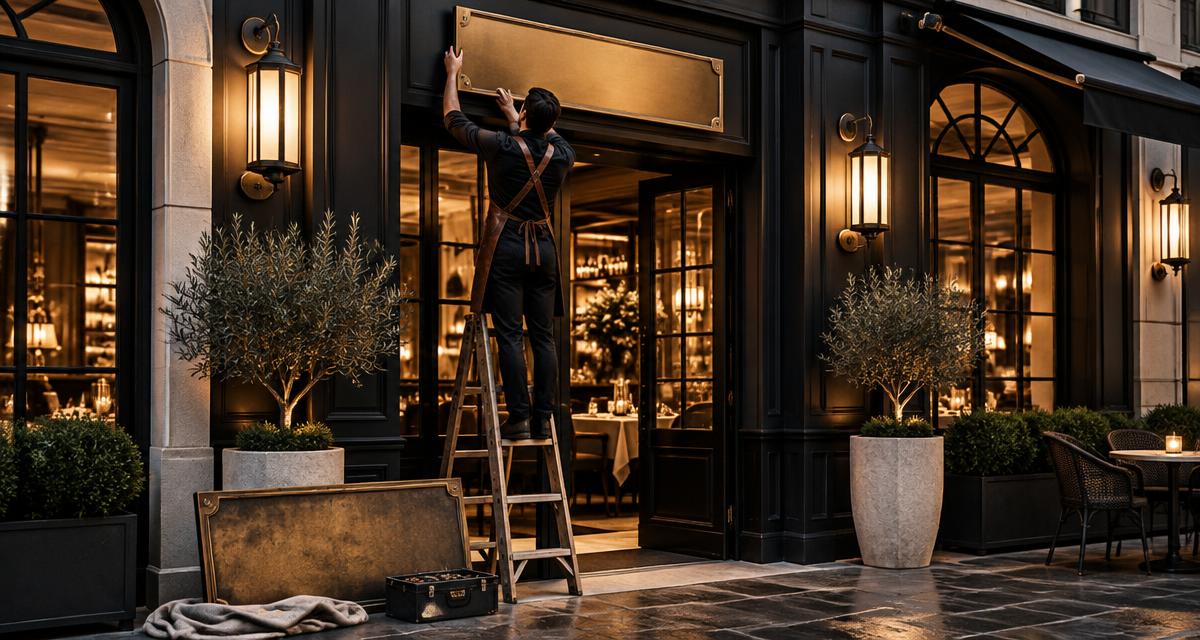
Restaurant SEO
How to rebrand a restaurant without losing search visibility
A rebrand changes more than a sign. Search engines, maps, reviews, directories, booking platforms and regular guests all need to recognise the same business after launch. This is the sequence that protects continuity — and the point where a genuinely new concept must be treated as new.

Alex Opsenica · Founder, Moolah Media
·
On this page
- First decide: rename, relocation or genuinely new business?
- Build a change register before launch
- Sequence the Business Profile change around the real world
- If the domain changes, move every valuable URL
- Protect links, menus and machine-readable identity
- How to keep Google reviews after a restaurant rebrand
- What not to change on the same day
- Launch-day and thirty-day checks
- Measurement needs an annotation, not a reset
- Common questions
A restaurant rebrand can lose search visibility without a single technical failure. The new sign goes up, but the Business Profile keeps the old name. The website changes domain, but old menu links return errors. Booking platforms use a third version. Guests search the old brand and cannot tell whether the restaurant moved, closed or became something else.
First decide: rename, relocation or genuinely new business?
This decision governs everything that follows. Google says a business should be represented as it is consistently recognised in the real world and should have only one profile. Its review guidance says minor name changes can retain reviews, while a name change outside its criteria may be considered a new business. A dramatic change in name, category, ownership model and customer experience should not be disguised as a minor edit simply to keep review history.
Source: Google Business Profile Help — Guidelines for representing your business — Google's rules on real-world representation, accurate categories and one profile per business.
Source: Google Business Profile Help — Move reviews across profiles — Google's current distinctions for ownership, relocation, minor name changes and materially new businesses.
| Change | Likely treatment | Main risk |
|---|---|---|
| Minor spelling or brand-style change | Update the existing identity consistently | Conflicting versions remain across listings |
| Same restaurant moves address | Update the existing profile; do not create a duplicate merely for the move | Split reviews and map confusion |
| New owner, same name and operation | Existing reviews generally remain under Google's guidance | Guests need context if the experience changes |
| New name, concept and core category | May be considered a new business | Trying to preserve irrelevant reviews misleads guests |
| New domain only | A website migration, not a new restaurant | Lost URLs, links and measurement if redirects are weak |
Minor spelling or brand-style change
- Likely treatment
- Update the existing identity consistently
- Main risk
- Conflicting versions remain across listings
Same restaurant moves address
- Likely treatment
- Update the existing profile; do not create a duplicate merely for the move
- Main risk
- Split reviews and map confusion
New owner, same name and operation
- Likely treatment
- Existing reviews generally remain under Google's guidance
- Main risk
- Guests need context if the experience changes
New name, concept and core category
- Likely treatment
- May be considered a new business
- Main risk
- Trying to preserve irrelevant reviews misleads guests
New domain only
- Likely treatment
- A website migration, not a new restaurant
- Main risk
- Lost URLs, links and measurement if redirects are weak
Build a change register before launch
Add an owner, target date, completed date and verification method beside each item. The purpose is not bureaucracy. It prevents the common half-rebrand where the website, map pin and booking confirmation each tell a different story.
Sequence the Business Profile change around the real world
- Secure owner access and record the existing profile ID, links, categories, photos and performance baseline.
- Finish the real-world evidence: permanent signage, website identity and official customer-facing materials.
- Update the existing profile only when the new identity is genuinely in use.
- Use the fewest accurate categories; do not stuff the new name with cuisine or location keywords.
- Update menu, reservation, order and social links in the same session.
- Watch for reverification requests, rejected edits, duplicates and guest-suggested changes.
- Search both old and new names while signed out and from several locations during the transition.
Google may review profile edits, and some changes can trigger verification. Build time for that uncertainty into the launch rather than promising the team that every surface will switch at midnight.
Source: Google Business Profile Help — Edit your Business Profile — Google's process for editing verified profile information and reviewing changes.
If the domain changes, move every valuable URL
A domain migration is not one redirect from the old homepage to the new homepage. Build an old-to-new URL map. The old private-dining page should go to the new private-dining page; the old menu should go to the new menu; every location should go to its matching location. Keep redirects live for as long as practical, update internal links and canonical tags, and submit the new sitemap.
Google recommends permanent server-side redirects such as 301 or 308 for permanent moves, changing one thing at a time where possible, testing the redirect map, and keeping redirects for at least a year. Temporary ranking fluctuation can happen while Google processes a move; that is different from losing the old pages entirely through errors.
Source: Google Search Central — Site moves with URL changes — Google's migration sequence, redirect guidance, monitoring and one-year minimum recommendation.
Source: Google Search Central — Redirects and Google Search — Google's guidance on permanent redirects and choosing the most relevant new destination.
Protect links, menus and machine-readable identity
Redirects preserve the route for guests and search engines, but they are not the last step. Update important press, tourism, supplier and partner links when the publisher is willing; prioritise pages that already send referral traffic or point to a commercially valuable old URL. Update the visible name, address, phone, menu and booking route together with LocalBusiness structured data. The markup should confirm the page — never carry an old identity the visitor cannot see.
| Record | Before launch | After launch |
|---|---|---|
| Old URL | Export from the sitemap, analytics, Search Console and backlink records | Confirm it returns one permanent redirect, not a chain |
| New destination | Choose the closest equivalent page | Confirm status, content, canonical and indexability |
| Internal links | Replace old-domain links in navigation, menus and content | Crawl for any old references |
| External links | Prioritise valuable press, tourism and partner pages | Request updates; keep the redirect regardless |
| Tracking | Preserve analytics and verify both domains in Search Console | Annotate launch and compare old-plus-new branded demand |
Old URL
- Before launch
- Export from the sitemap, analytics, Search Console and backlink records
- After launch
- Confirm it returns one permanent redirect, not a chain
New destination
- Before launch
- Choose the closest equivalent page
- After launch
- Confirm status, content, canonical and indexability
Internal links
- Before launch
- Replace old-domain links in navigation, menus and content
- After launch
- Crawl for any old references
External links
- Before launch
- Prioritise valuable press, tourism and partner pages
- After launch
- Request updates; keep the redirect regardless
Tracking
- Before launch
- Preserve analytics and verify both domains in Search Console
- After launch
- Annotate launch and compare old-plus-new branded demand
How to keep Google reviews after a restaurant rebrand
Review continuity is valuable only when the reviews still describe the business a guest will visit. For a minor rename or ownership change with the same name, Google says reviews generally remain. If the restaurant is materially different, old reviews can be irrelevant; Google may not move them. The honest approach is to explain the transition publicly, answer recent reviews where useful, and begin earning current feedback under the new experience.
Do not treat review retention as a launch guarantee. Document the existing profile, avoid duplicates and follow Google's support route if eligible reviews disappear after an accurate change. Google names categories — including hotels — where reviews do not automatically move with a relocation. A restaurant inside a hotel or another multi-use venue should therefore confirm the profile's category-specific treatment instead of assuming continuity.
What not to change on the same day
A name, domain, site structure, booking provider, menu format and analytics setup can all change during a rebrand, but changing every layer together destroys the ability to diagnose a loss. Freeze avoidable changes. Preserve URL paths where they still make sense, keep measurement identifiers and conversion definitions stable, and record each unavoidable change with an owner and timestamp.
Launch-day and thirty-day checks
| When | Check | Escalate if |
|---|---|---|
| Launch day | Old URLs, booking, menu, phone and directions | Any high-value path fails or reaches the wrong location |
| First 72 hours | Profile name, duplicate listings and verification status | Profile becomes unverified, suspended or duplicated |
| Week one | Search Console indexing and redirect errors | Important old URLs are not redirected one-to-one |
| Weeks two to four | Old/new brand queries, map visibility and completed bookings | Guests cannot connect the names or actions materially drop |
| Day 30 | Directory consistency and remaining old assets | High-trust sources still publish conflicting facts |
Launch day
- Check
- Old URLs, booking, menu, phone and directions
- Escalate if
- Any high-value path fails or reaches the wrong location
First 72 hours
- Check
- Profile name, duplicate listings and verification status
- Escalate if
- Profile becomes unverified, suspended or duplicated
Week one
- Check
- Search Console indexing and redirect errors
- Escalate if
- Important old URLs are not redirected one-to-one
Weeks two to four
- Check
- Old/new brand queries, map visibility and completed bookings
- Escalate if
- Guests cannot connect the names or actions materially drop
Day 30
- Check
- Directory consistency and remaining old assets
- Escalate if
- High-trust sources still publish conflicting facts
Measurement needs an annotation, not a reset
Keep the old analytics and Search Console history. Mark the date of the name, domain, menu and profile changes. Compare like with like: branded searches will split between old and new names for a while, so read them together. Keep call, direction, booking and revenue outcomes beside rankings. A clean new dashboard that discards the baseline makes the rebrand impossible to judge.
Common questions
Will changing a restaurant's name hurt its Google visibility?
It can cause temporary disruption, especially if the profile, website and listings conflict. A minor, real-world name change handled consistently is different from creating a materially new business. Do not create a duplicate profile just in case.
Can a restaurant keep its Google reviews after a rebrand?
Google says reviews generally remain for minor name changes and for new management that keeps the same name. A materially different name or business may be treated as new, and irrelevant reviews may not transfer.
Should I change the restaurant's domain during the rebrand?
Only when the long-term brand benefit justifies the migration risk. If it changes, map every important old URL to its closest new equivalent with permanent server-side redirects and keep the old domain controlled.
How long should old website redirects stay live?
Google recommends keeping redirects for at least one year after a site move. Keeping the old domain and redirects longer is often useful for guests, old links and printed material.
Should a reopened restaurant create a new Business Profile?
Not automatically. A relocation or ownership change alone is not a reason to create a duplicate. If the identity and operation have changed materially, review Google's eligibility and review-transfer guidance before deciding.
Should old press links be updated after a restaurant rebrand?
Prioritise authoritative pages that send guests or point to valuable old URLs, and ask publishers to update the name and destination. Keep the permanent redirect even when a link is updated, because old emails, bookmarks and uneditable references can remain in use.
Should the website, domain and booking system all change on launch day?
Only changes required by the real rebrand should happen together. Keep avoidable systems stable, record every change and test each guest action. Fewer simultaneous variables make any loss or breakage faster to diagnose.
Working on this yourself? Plan the search side of a relaunch.
How visible is your restaurant right now?
If you want to see where your restaurant currently appears — and where competitors may have the advantage — start with a free visibility audit.
Get Your Free Visibility AuditWritten by
Alex Opsenica
Founder, Moolah Media
Founder of Moolah Media, a specialist restaurant growth and local SEO agency based in Ireland, working remotely with hospitality operators worldwide on search, Google Business Profile and bookings.
Continue exploring

Restaurant SEO
SEO for a new restaurant opening: the first 90 days
What to set up before doors open, what to do in the first month, and what to leave until month three — a sequenced search plan for a new restaurant.
3 min read
Read Insight
Google Business Profile
Suspended or hidden Business Profile: how a restaurant recovers
What triggers a Google Business Profile suspension for a restaurant, how to tell it from a duplicate or hidden listing, and how reinstatement works.
3 min read
Read Insight
Restaurant Websites
Restaurant structured data: the schema that actually helps
The four structured data blocks a restaurant site needs — Restaurant, Menu, hours and FAQ — plus the markup that can cost you rich results.
4 min read
Read Insight